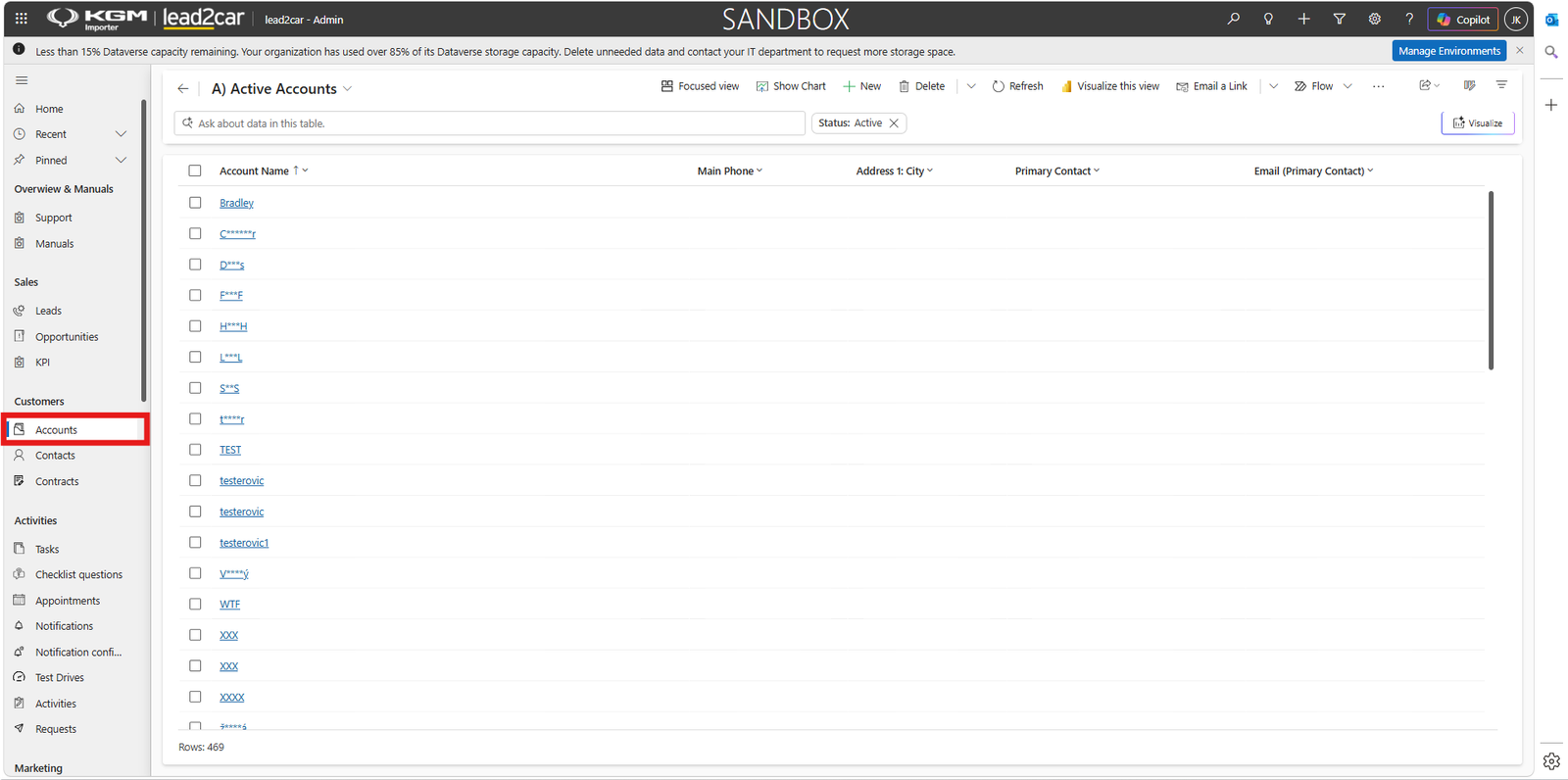
Accounts
Accounts represent all customers in the system. An account can represent both:
- Company customers (e.g. EY)
- Retail customers (individual persons)
Each account contains customer information and serves as the main record for managing relationships, activities and sales.
Retail customer
In case of a retail customer, the account and the contact represent the same person.
Example
- Account
- John Smith
- Contact
- John Smith
Company customer
For company customers, one account can contain multiple contacts.
Example
- Account
- EY
- Contacts
- John Smith, Samuel Wilson
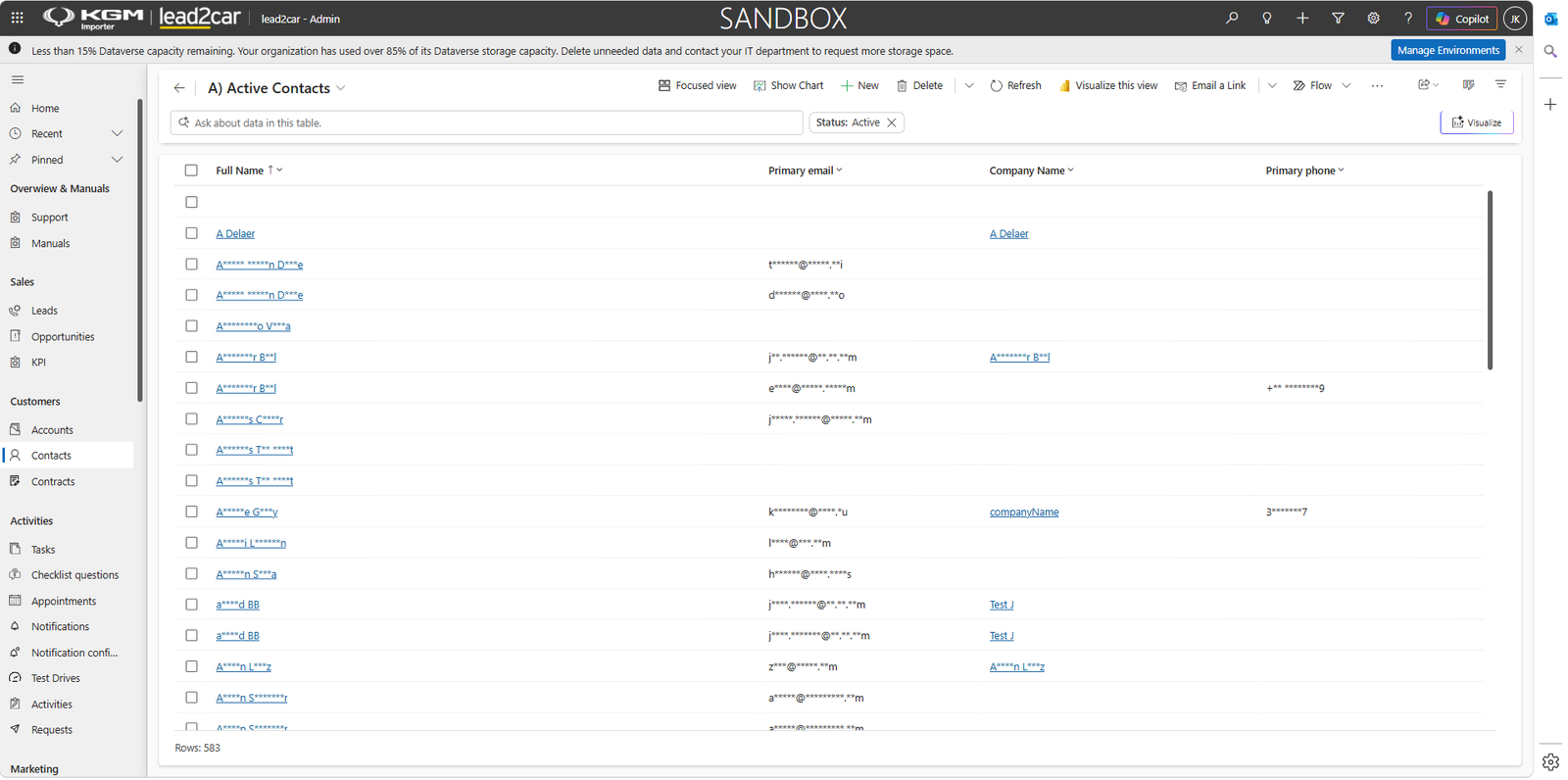
Contacts
Contacts represent contact persons of customers. Each contact is always linked to an account and cannot exist independently.
- Stores personal details (name, email, phone)
- Represents a specific person within a customer account
- Is used in leads, opportunities and activities
Account tabs
Each account contains multiple tabs that provide detailed information about the customer.
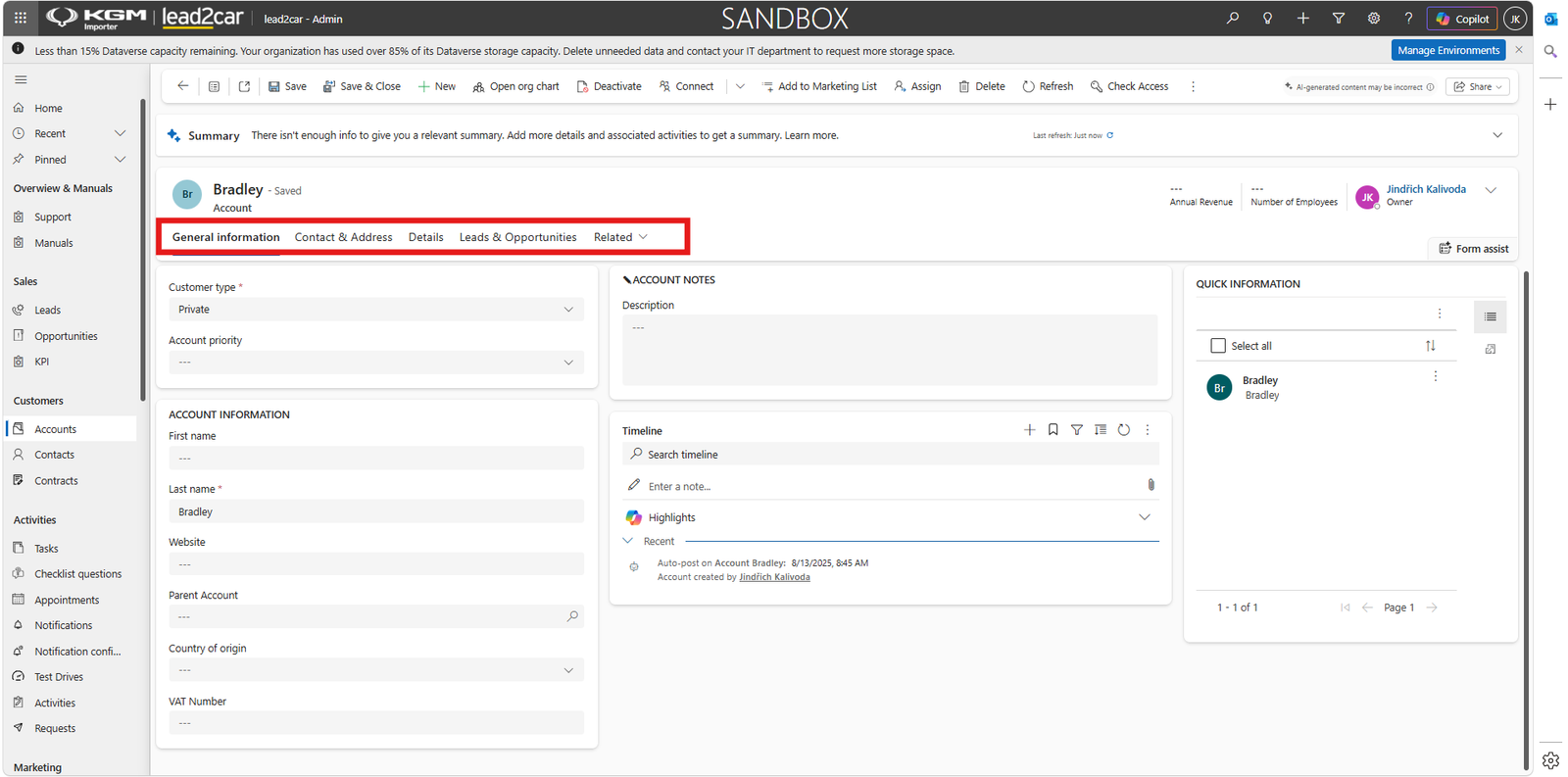
Common tabs include:
- General information – basic customer data
- Contact & Address – contact and location details
- Details – vehicles linked to the customer
- Leads&Opportunities – overview of customer costs and spending
These tabs provide a complete overview of customer data and activity history.
Merging records
If duplicate accounts or contacts exist, they can be merged. To merge records:
- Select duplicate records
- Click Merge
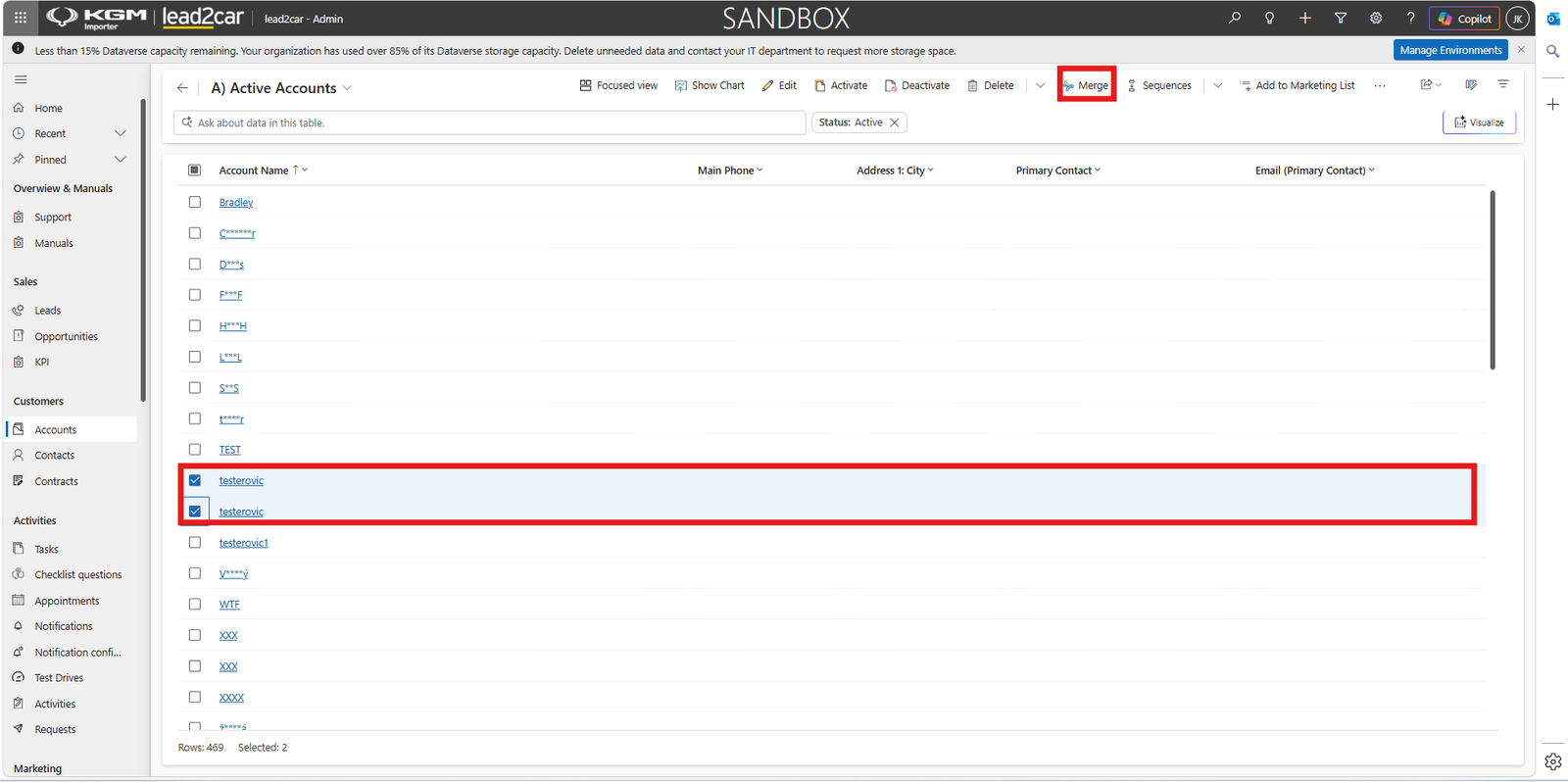
The system will show differences between records and allow you to select which data to keep.
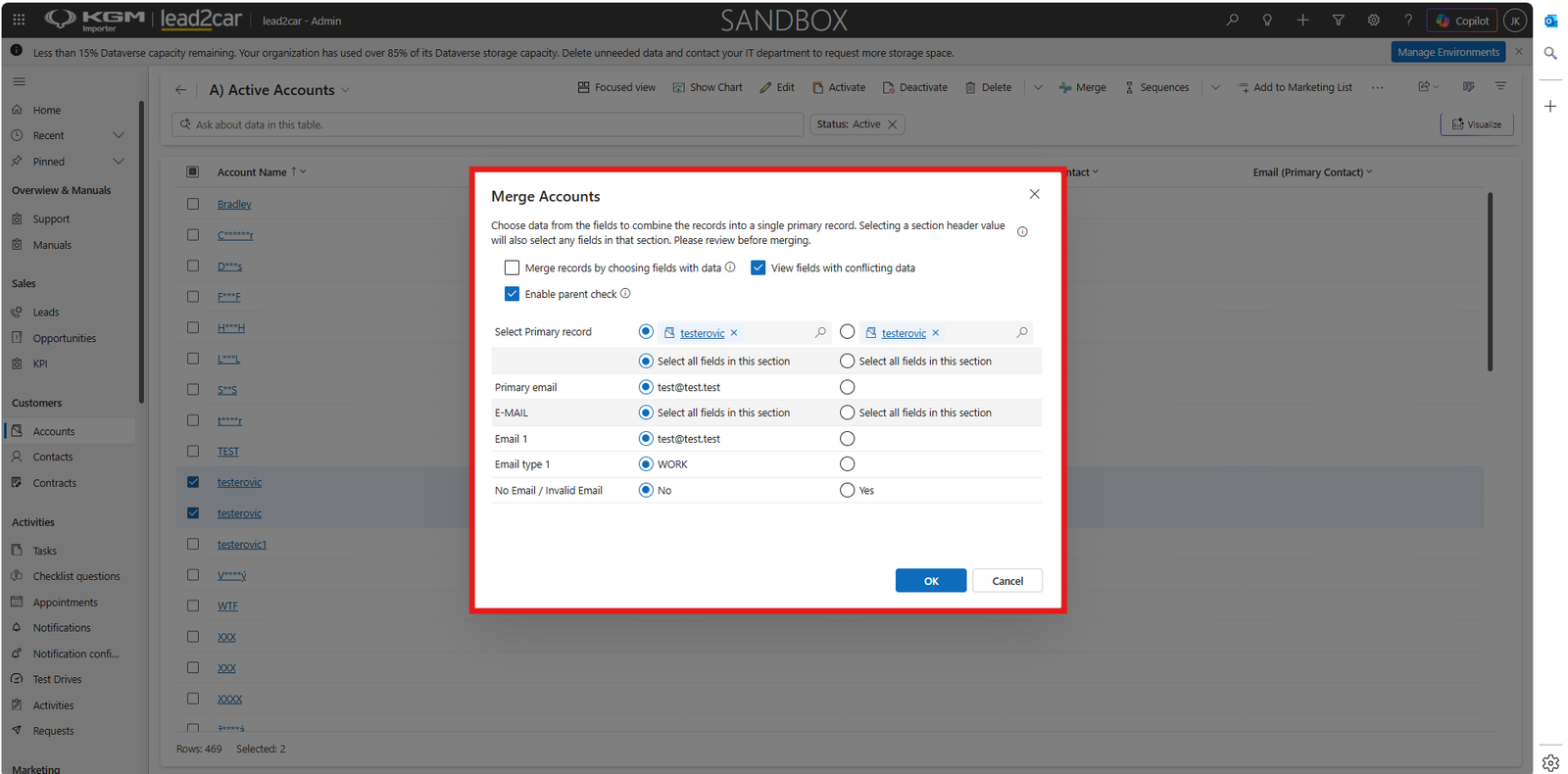
- Select preferred values for each field
- Confirm the merge
If financial values (e.g. customer spending) differ between records, they are combined during the merge.