Vehicles overview
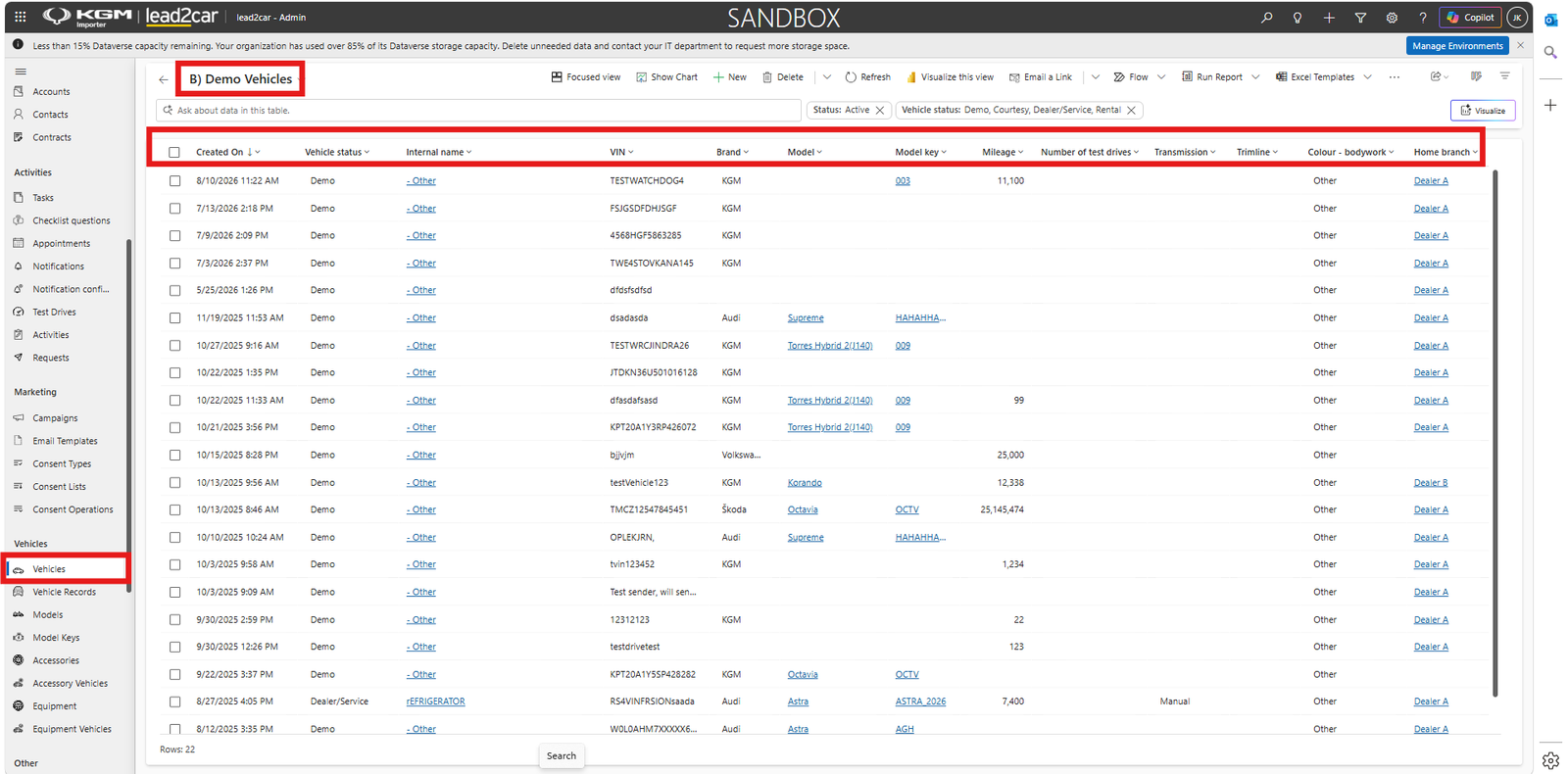
Open the Vehicles section from the navigation menu to display the active vehicle records available in the importer environment.
Vehicle records are synchronized from the connected DMS and provide an overview of vehicles available across the dealer network.
The vehicle list contains information such as:
- Creation date
- Vehicle status
- Internal name
- VIN
- Order number
- Date of manufacture
Good to know
The primary purpose of the Vehicles section in the importer environment is to provide an overview of vehicles synchronized from the DMS and allow users to review their identification, status and related information.
Reviewing vehicle details
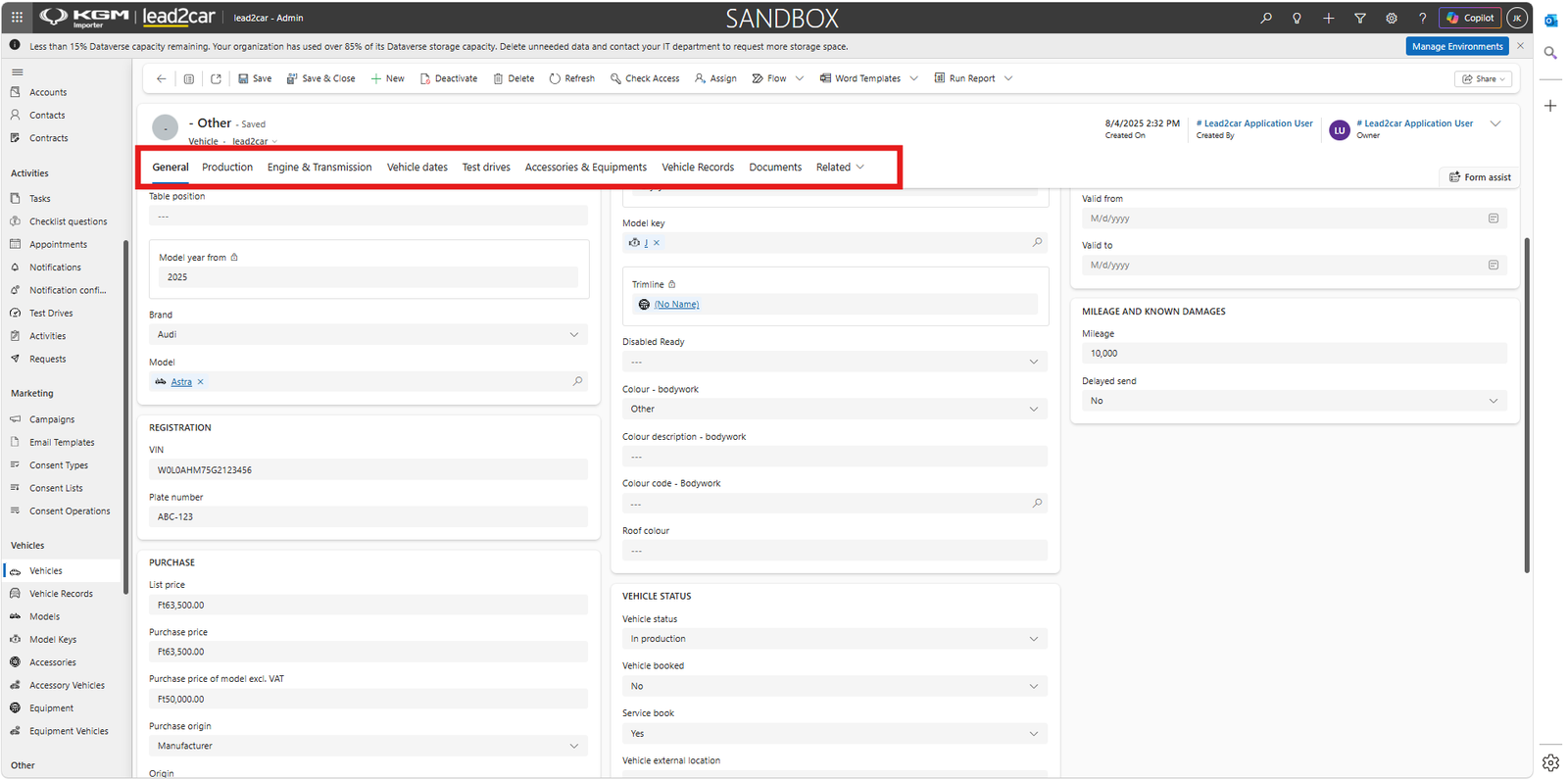
Select a vehicle from the list to open its record and review the available vehicle information.
The vehicle record contains multiple tabs with information synchronized from the DMS, including:
- General
- Production
- Engine & Transmission
- Vehicle dates
- Test drives
- Accessories & Equipments
- Vehicle Records
- Documents
The available fields can include the model year, brand, model, VIN, plate number, prices, model key, trimline, bodywork colour, vehicle status, mileage and other technical or operational information.