Campaign overview
Campaigns are used to manage marketing activities.
To view existing campaigns, open the Campaigns section from the Marketing menu.
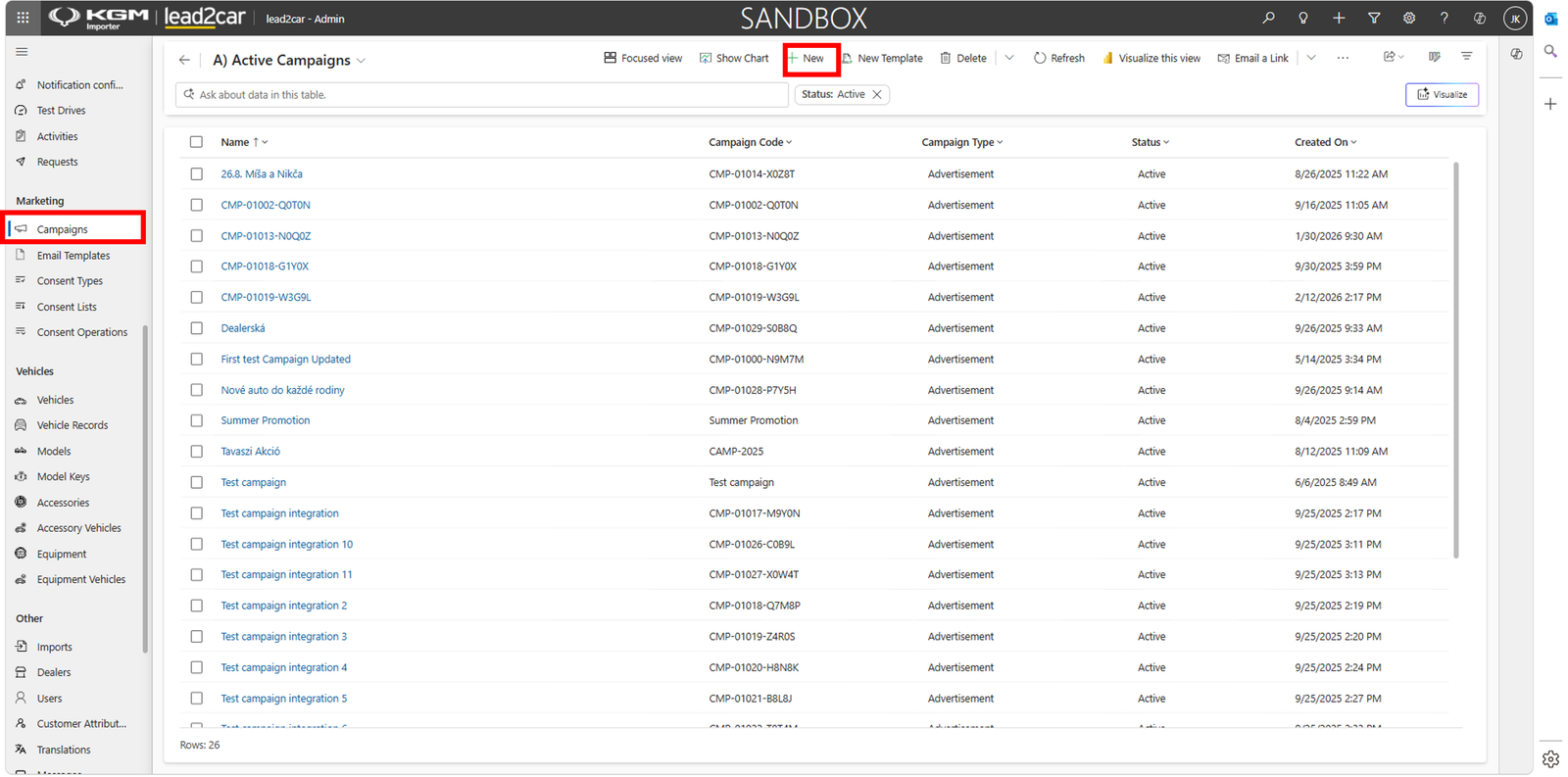
The campaign list displays all existing campaigns including campaign name, campaign code, campaign type and status.
To create a new campaign, click New.
Create campaign
After clicking New, a new campaign record is opened.
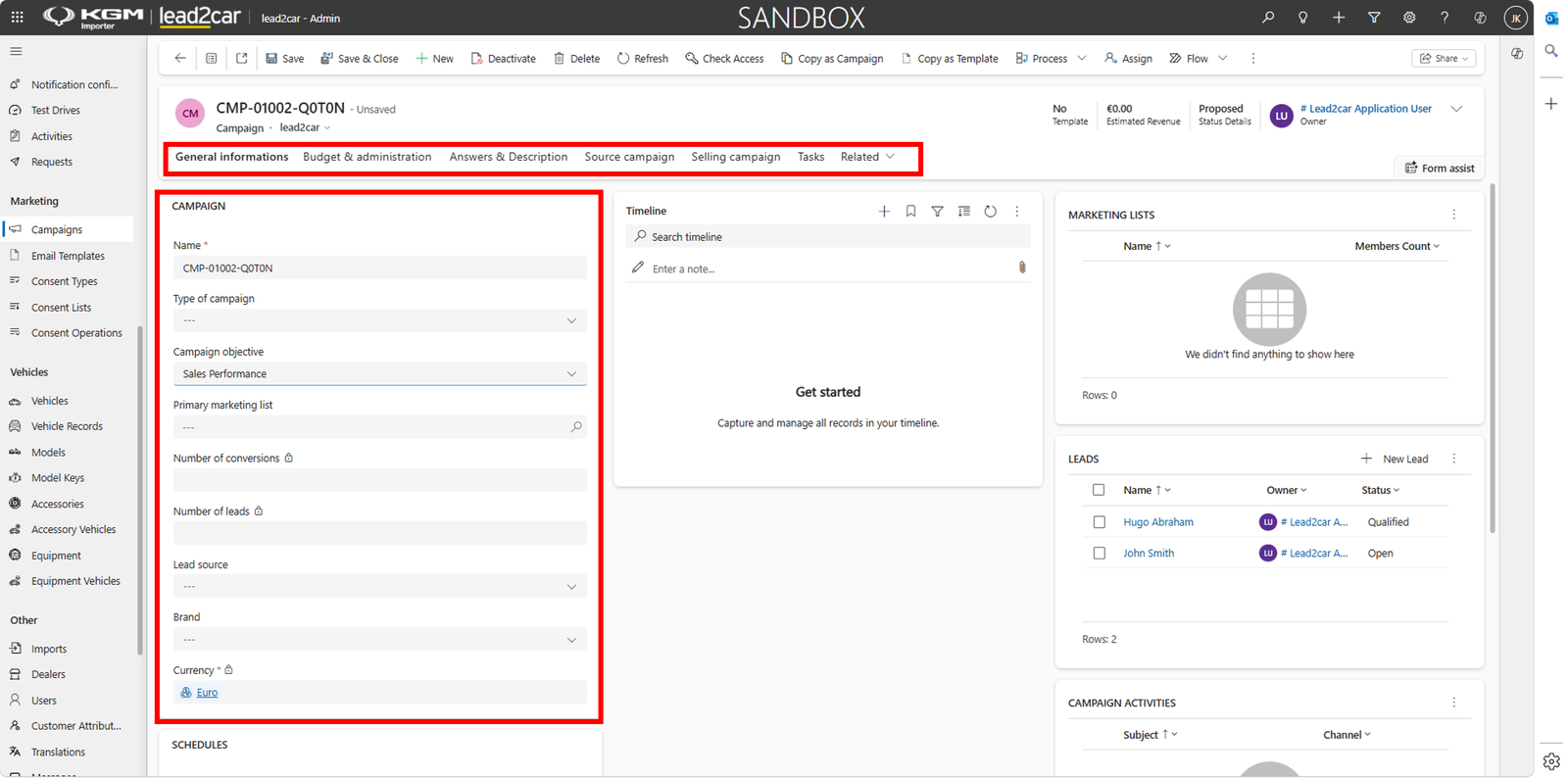
Fill in the campaign information:
- Name – campaign name
- Type of campaign – campaign type
- Campaign objective – campaign objective
- Primary marketing list – target marketing list
- Lead source – lead source
- Brand – related brand
- Currency – campaign currency
Additional information can be completed in the available tabs such as Budget … can be managed directly from the campaign record.
Save campaign
After entering all required information, click Save or Save & Close.
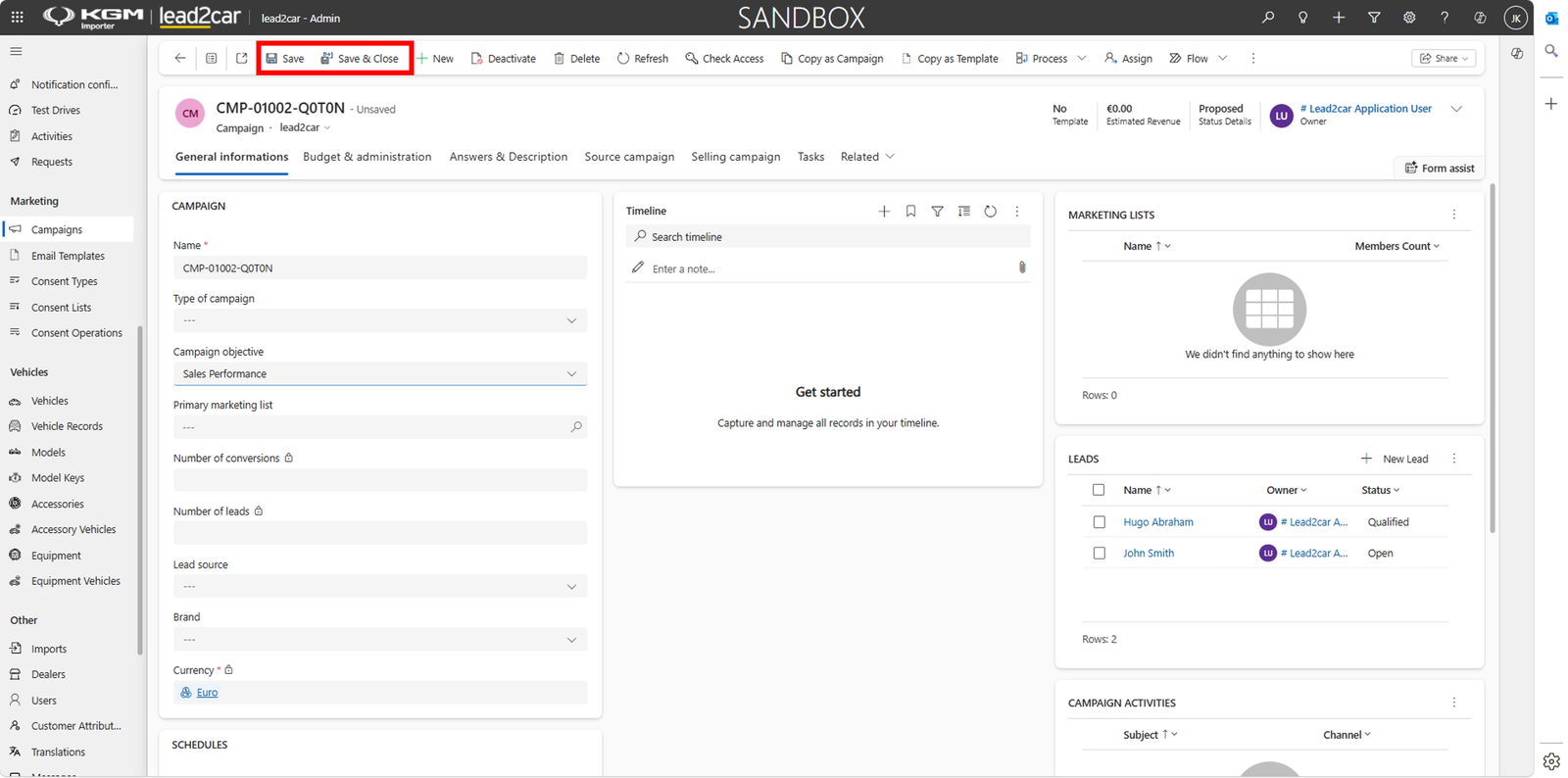
The campaign is created and becomes available in the Campaigns list.